LinkedIn Sales Navigator review: plans, filters and the contact data gap
 By Jan Suski. I go deep on every review, checking every number against its source and digging up details other coverage misses, a habit from six years of SEO and link building for tech companies. Bylines at Surfer, Brand24, and Senuto. How the scoring works.
· Prefer this source on Google
Best for
Sales teams already running Salesforce or Microsoft Dynamics who want first-party LinkedIn signals, like job changes and company news, layered onto existing prospecting workflows.
Not for
Reps who need email addresses or phone numbers to work outside LinkedIn. Contact data isn't part of this tool; the pricing math here pairs Advanced with Lusha to close that gap.
What it costs
Core runs $119.99 a month or $1,079.88 a year, Advanced $159.99 a month or $1,799.88 a year. Advanced Plus comes as a quote.
- Search filters
- More than 40, stacking company size, seniority, job title, geography, function, years in position and recent activity
- Boolean search
- Runs inside those filters, exclusions included
- Lead lists
- Saved leads tracked per list, with rep notes and per-lead outreach activity
- Saved searches
- Re-run automatically and surface people who newly match the criteria
- Lead recommendations
- 20 to 30 new prospects a week, based on what you already saved
- Alerts
- Real-time on job changes and company news: funding, hiring, expansion
- Account IQ
- AI summary of a target account: what it does, recent developments, where a need might sit
- Relationship Explorer
- Which people at an account you have a path to, through mutual connections or colleagues
- Account Hub
- Every saved account in one view
- InMail
- 50 credits a month, with reported response rates of 10% to 25% on high-priority targets
- Smart Links
- Trackable content page showing who opened it and for how long; Advanced and up
- TeamLink
- Shared connections across the whole team; Advanced and up
- CRM integration
- Salesforce and Microsoft Dynamics only; sync writes activity back and flags accounts already in pipeline
- Data validation
- Enrichment written into Salesforce or Microsoft Dynamics; Advanced Plus only
- Contact data
- None; no email addresses, no phone numbers
- CSV export
- Not allowed; lead lists stay inside LinkedIn
- Connection requests
- Sent from the platform, rate-limited by LinkedIn whatever you pay
- Data source
- First-party self-reported profiles, current only as far as their owners keep them current
- Ten seats on Advanced
- $17,998.80 a year billed annually, before anyone buys contact data
- With contact data
- Advanced plus ten Lusha Pro seats at $469.10 a month puts that team near $23,600 a year
- Cost per rep
- $1,799.88 a year on Advanced, billed annually
- Two-rep pilot
- About $960 for 90 days on monthly billing, against $17,998.80 a year for ten seats
- Core
- $119.99/month, or $1,079.88/year billed annually; advanced search, lists, alerts and InMail credits, no advanced CRM integration
- Advanced
- $159.99/month, or $1,799.88/year billed annually; adds CRM sync, TeamLink and Smart Links
- Advanced Plus
- Quoted individually on team size, CRM integration and onboarding needs; adds data validation and enrichment
- Billing term
- Monthly or annual; paying annually saves 25% on Core and 6% on Advanced
- Free trial
- Offered on the self-serve plans, which makes it the decision window
Alternatives to LinkedIn Sales Navigator
Apollo.io
Not forA rep whose whole job is mapping stakeholders across 50 named accounts loses the filter depth that made Sales Navigator worth $159.99 a month.
ZoomInfo
Not forA three-person company that already feels $159.99 a seat has no budget line for a $15,000 annual data floor.
Lusha
Not forA ten-seat team paying $469.10 a month for reveals is buying a contact layer; the search filters, job-change alerts and CRM sync stay Sales Navigator's job.
Pairs well with LinkedIn Sales Navigator
Which prices LinkedIn lists, which it quotes, and which numbers came from users
Core at $119.99 a month ($1,079.88 a year) and Advanced at $159.99 a month ($1,799.88 a year) are LinkedIn's own US-dollar rates from its compare-plans page, updated 27 September 2026 and excluding VAT and GST. Advanced Plus is quoted. The 10% to 25% InMail response band, the payback inside six months and the 10% revenue lift over three years are user claims, self-reported by teams that built a process around the tool.
Pairing costs use the prices in the alternatives table further down. Page updated 9 August 2026.
LinkedIn Sales Navigator is LinkedIn's paid prospecting product. It sits on top of the same profiles everyone can see and adds search filters, alerts, lists, and CRM sync.
This LinkedIn Sales Navigator review covers the three plans, what the tool does well, what it refuses to do, and which alternatives cover the gaps.
Sales Navigator does not provide email addresses or phone numbers. It's a targeting tool. Contact data comes from somewhere else.
↑ FACT SHEETWhat Sales Navigator is
Sales Navigator is a B2B sales intelligence platform built on LinkedIn's own graph. LinkedIn Sales Navigator uses first-party, self-reported data, which is a real advantage over scraped databases.
LinkedIn profiles are maintained by users, so the information is relatively current. People update their own job title when they move, because they want recruiters to see it.
That's the core of the product. Every other sales database is trying to guess what LinkedIn profile data already says out loud.
The data is self-reported, which cuts both ways. A title someone gave themselves three years ago and never corrected is still stale, and a profile is only as current as its owner's ambition.
Sales professionals were the target from the start. LinkedIn built this for people whose income depends on finding the right person at the right company in the right week, and priced it accordingly. Sales Navigator is built for B2B sales. If you sell to consumers, none of what follows applies to you.
↑ FACT SHEETLinkedIn Sales Navigator pricing
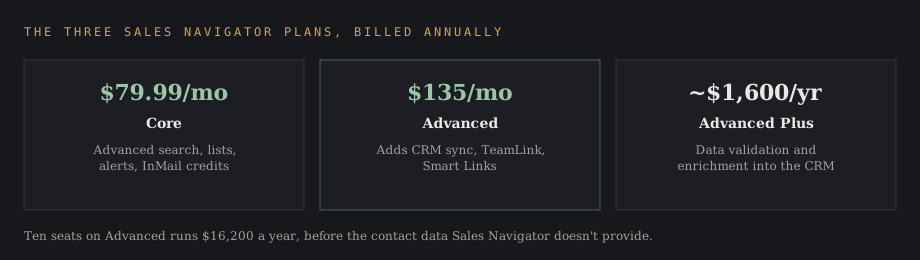
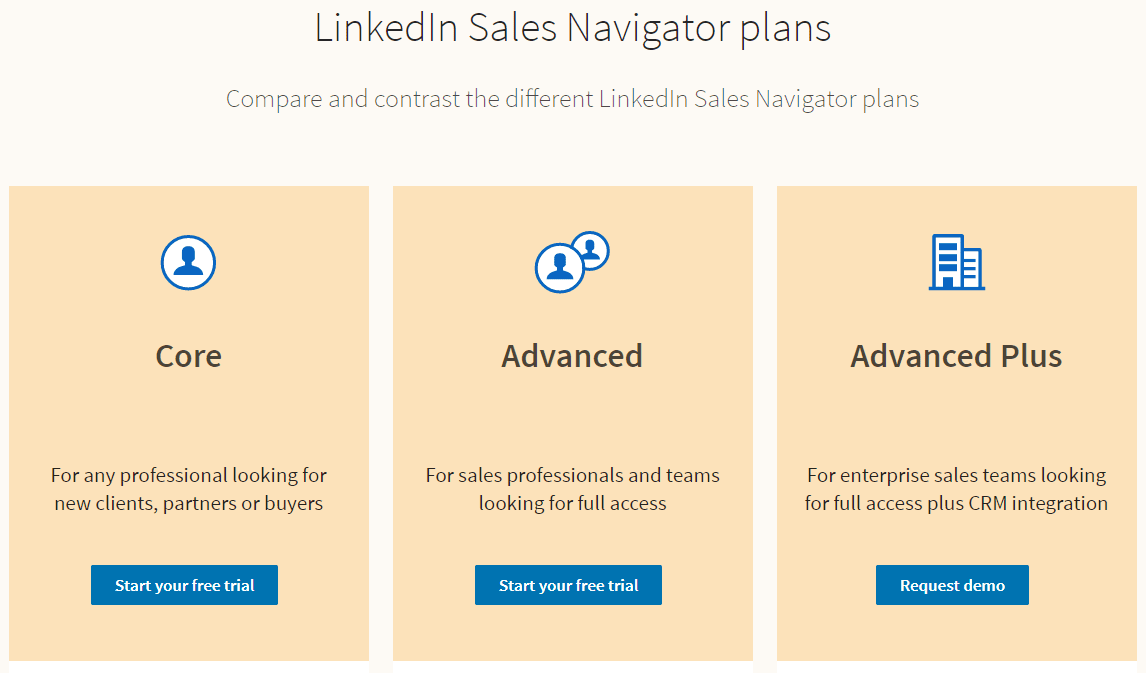
Sales Navigator pricing starts at $119.99 per month, or $1,079.88 a year billed annually. There are three tiers, and the jump between them is large.
Core
Sales Navigator Core costs $119.99/month, or $1,079.88/year when billed annually. This is the entry plan: advanced search, lead and account lists, alerts, and InMail credits. Core covers most of what an individual sales rep needs. The advanced CRM integration is what you give up.
Advanced
LinkedIn Sales Navigator Advanced costs $159.99/month, or $1,799.88/year when billed annually. The advanced plan adds CRM sync, TeamLink for shared connections across the whole team, and Smart Links.
Advanced is the plan most sales teams end up on, because CRM sync is the difference between a tool people use and a tool people forget.
Advanced Plus
Sales Navigator Advanced Plus is priced by quote, on team size, CRM integration and onboarding needs. It adds deeper CRM integration, including data validation and enrichment written back into Salesforce or Microsoft Dynamics, and it's sold to larger organizations.
What a team pays in practice
Run the arithmetic before the meeting. Ten seats on Advanced at $1,799.88 a year each is $17,998.80 a year, and that's before anyone has bought the contact data Sales Navigator won't give you.
Annual billing is the cheaper route. Core paid monthly costs $1,439.88 over a year against $1,079.88 billed annually, so annual billing saves 25%, while Advanced's annual plan saves 6%.
Add the contact data line before comparing against anything else. Lusha Pro is $69.90 a month for two seats plus $49.90 for each seat after that, so ten seats is $469.10 a month, or $5,629.20 a year. Stacked on the $17,998.80, the ten-seat team runs about $23,600 a year.
Despite its effectiveness, Sales Navigator is considered expensive for small teams. A three-person company feels $159.99 per seat differently than a 200-rep organization does.
↑ FACT SHEETKey features
The core features fall into four groups: search, lists, alerts, and integration. Everything else is packaging around those.
Advanced search filters
Sales Navigator offers more than 40 advanced search filters. That's the headline feature and the reason most people buy.
Basic LinkedIn search gives you keywords and a few facets. Advanced search filters let you stack company size, seniority level, job title, geography, function, years in current position, and recent activity into one query.
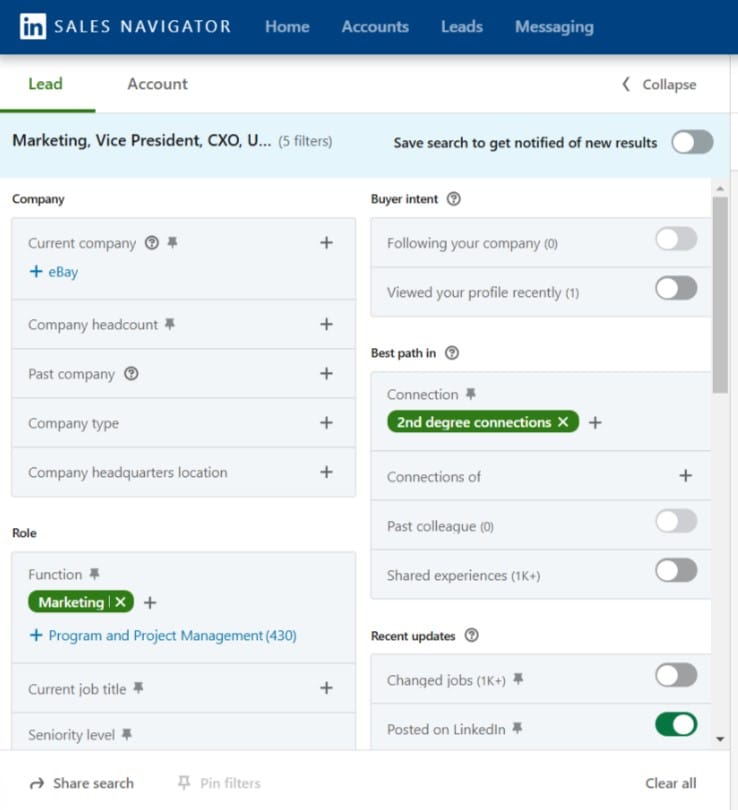
Boolean search works inside those filters. Complex searches combining job titles with exclusions are where the advanced filters stop being a nicer basic search and start being a different tool.
The practical effect is precision. A rep can build a list of 300 qualified leads that match a real ICP. A basic keyword search returns 3,000 names that only match a keyword.
Finding leads is the easy half. The filters matter because they let a rep describe a buying pattern: a VP of Engineering at a 200-500 person software company who started in the last six months. That query returns potential customers who share a trigger, and sales teams that write three or four of these and save them stop guessing at who to call on Monday.
Lead lists and saved searches
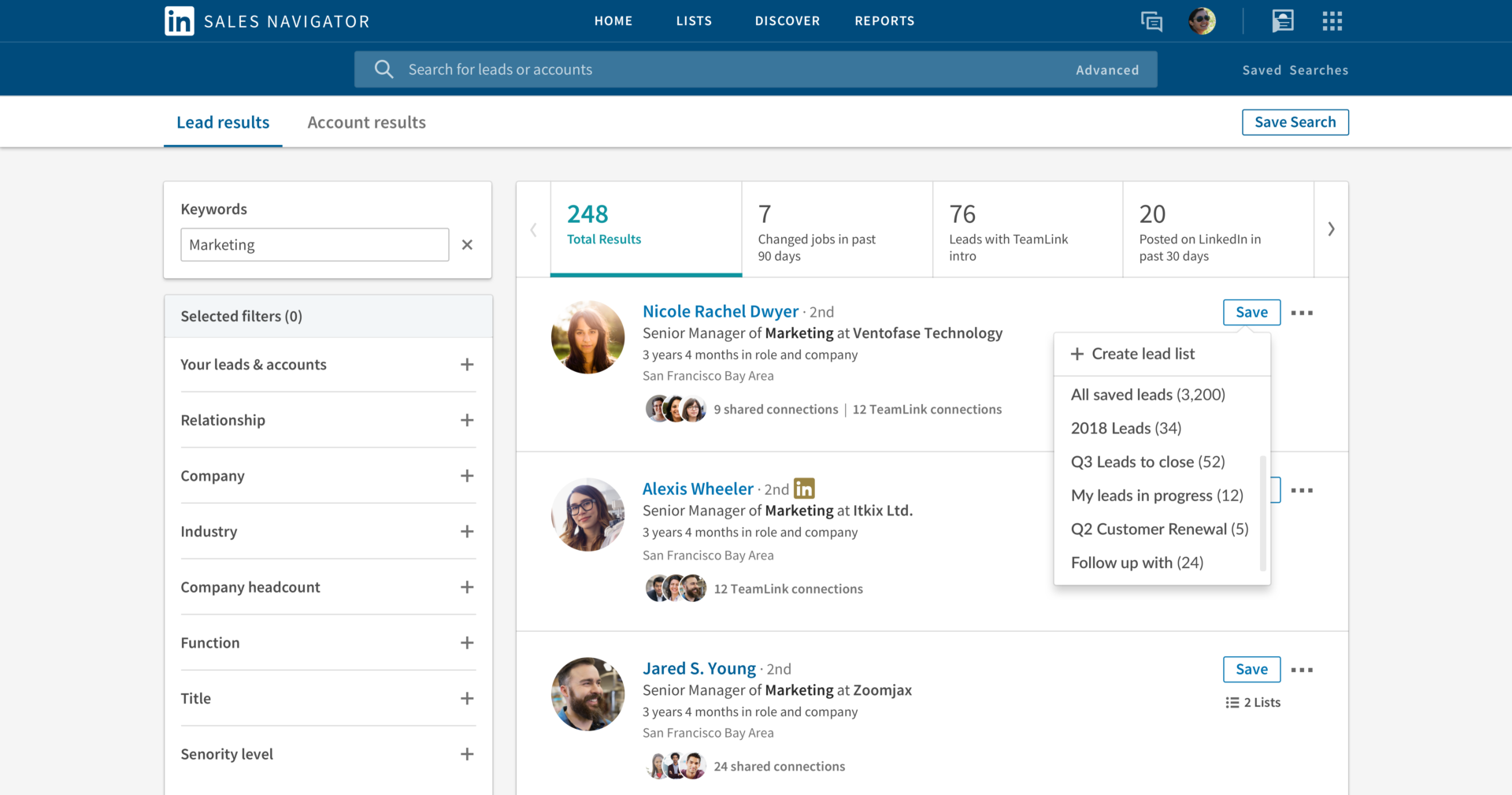
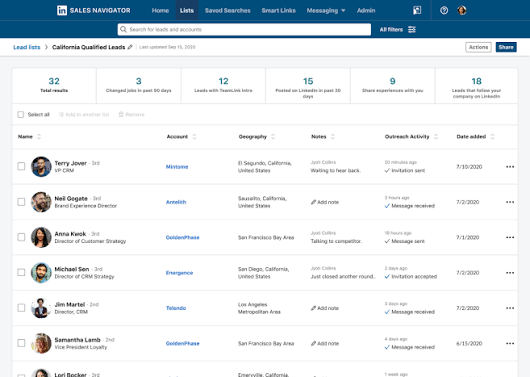
You save leads into lead lists and track leads from there. Saved searches re-run automatically and surface people who newly match your criteria.
Sales Navigator can cut time-consuming tasks with saved searches and lead recommendations. Lead recommendations surface 20-30 new prospects weekly based on what you've already saved. That weekly drip is worth more than it sounds: a rep who opens the tool on Monday to 25 fresh potential leads doesn't need to schedule prospecting time.
Alerts on job changes and company news
Users receive real-time alerts about job changes and company news. This is the feature that earns the licence for most teams.
A champion who moves to a new company is the warmest lead in your database. They already know your product, they already like it, and they now have a budget somewhere else. Job changes also work in reverse: when your buyer leaves mid-deal, the alert tells you the deal is at risk before the deal goes quiet.
Company news alerts serve buyer intent signals: funding, hiring, expansion. None of these are intent in the strict sense, and they're a reason to make a timely call.
Outreach efforts land differently when they're timed to an event. A message referencing a promotion from last week reads as attention. The same message in month four reads as a template.
Account IQ, Relationship Explorer and the Account Hub
Account IQ generates an AI summary of a target account: what the company does, recent developments, and where it might have a need. It's a research shortcut for a rep opening an unfamiliar account.
Relationship Explorer surfaces which people at an account you have a path to, through mutual connections or colleagues. Firm-wide versions of that map, built from a team's email and calendar, are compared in our relationship intelligence platforms ranking. The Account Hub collects saved accounts in one view.
Sales Navigator helps identify multiple decision-makers within target organizations, and sales teams can monitor multiple stakeholders within target accounts. Modern B2B deals have five to ten people involved, and mapping the buying committee is the job.
Key decision makers are rarely one person. Mapping who signs, who evaluates, and who quietly blocks is the work separating a deal that closes from one that stalls in procurement. The platform's strengths are precision targeting, identifying buying committees, and monitoring account changes, in that order.
InMail, Smart Links and outreach
InMail credits are limited to 50 messages per month. That cap is deliberate and it's the reason InMail still works: LinkedIn rations it so the inbox doesn't turn into email.
Response rates range from 10% to 25% for high-priority targets. Fifty credits a month forces prioritization: a rep with unlimited messages sends templates, a rep with fifty writes fifty good ones, which is part of why the response rates hold up.
Response rates that high depend on the message. Sales Navigator helps personalize communications based on prospect activity, and the difference between a 10% and a 25% reply rate is usually the first line. Hyper personalized messages built on a recent post, a job change, or a shared connection outperform templates.
Smart Links let you send a trackable content page and see who opened it and for how long. It's a soft signal that tells a rep which of five stakeholders read the deck and which forwarded it.
You can also send connection requests from the platform. Connection requests are rate-limited by LinkedIn regardless of what you pay, so direct outreach volume has a ceiling.
CRM integration
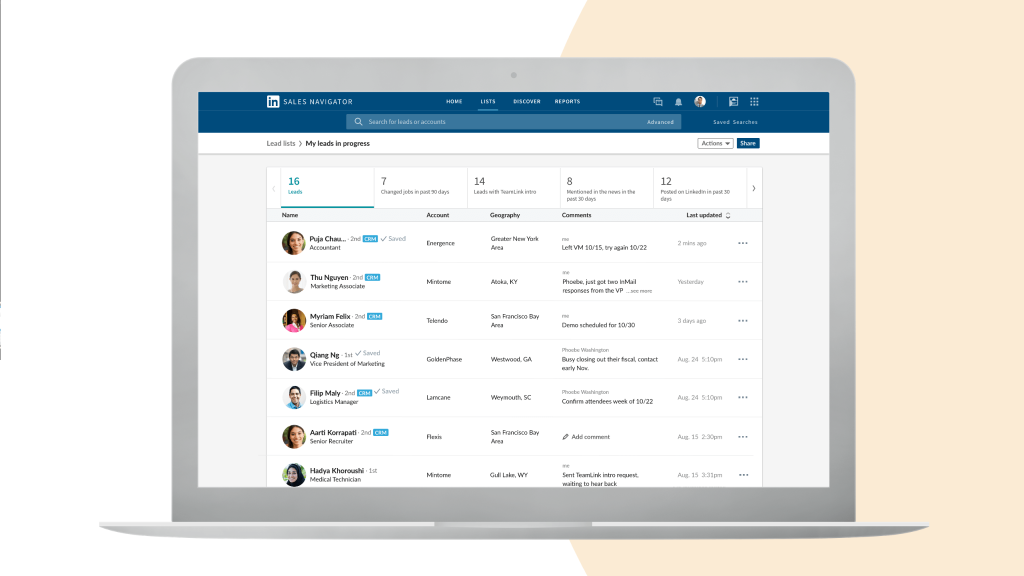
Sales Navigator integrates with Salesforce and Microsoft Dynamics. CRM sync writes activity back so a rep isn't doing manual data entry twice.
On Advanced and above, CRM integration also surfaces your existing accounts inside Sales Navigator, so a rep sees which prospects are already in the pipeline before opening a conversation. This is the feature that decides adoption: a prospecting tool sitting outside the CRM gets used for a month.
Check your own CRM before buying. Salesforce and Microsoft Dynamics are the named integrations, so anything else needs confirming in writing before the contract, alongside what sync covers and what it doesn't.
What Sales Navigator won't do
The limitations are as important as the features, and most disappointment with the product traces back to buying it for a job it was never built to do.
No contact data
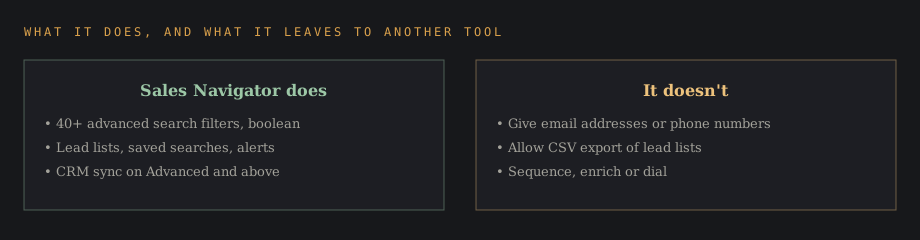
Sales Navigator does not provide email addresses or phone numbers. You can find the exact right person and have no way to reach them off-platform.
This is the single biggest gap. Teams pair Sales Navigator with a contact data provider, and the pairing is the standard prospecting stack.
No CSV export
Exporting lead lists to CSV is not allowed in Sales Navigator. Your lists live inside LinkedIn's walls.
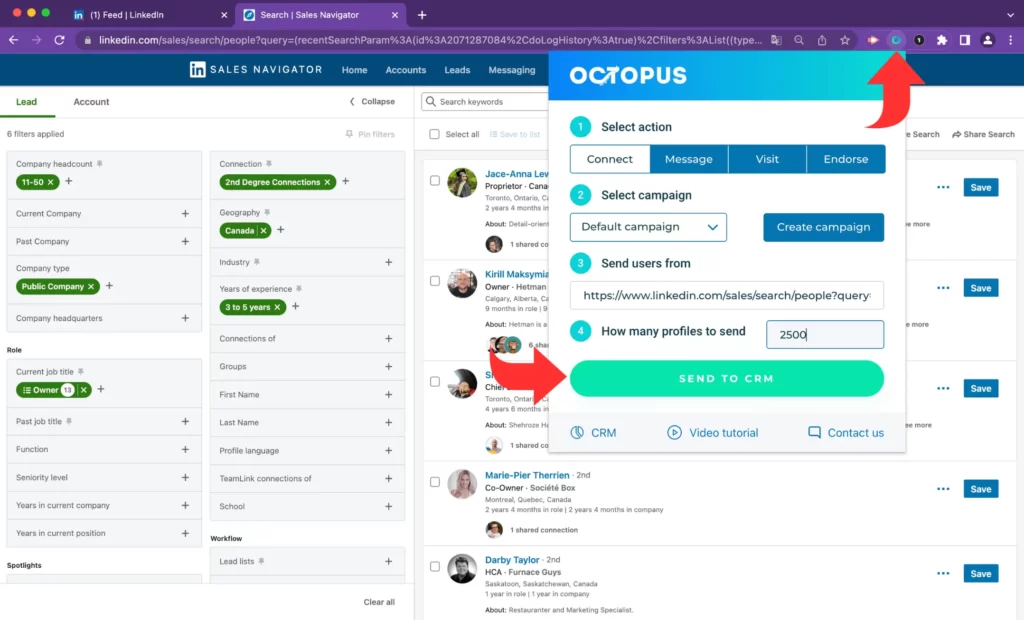
Plan around it. A list you can't export is a list you can't hand to marketing for a campaign or load into a sequencer without CRM sync doing the work. The restriction protects LinkedIn's data, so design the process around CRM sync from day one.
Learning curve
Sales Navigator requires a steep learning curve for new users. The filters are powerful and unintuitive, and a rep who never learns boolean search uses a fraction of the product.
Budget an hour of training per rep, then a second hour a month later once they've hit the limits of basic search. Sales Navigator support documentation covers the mechanics; the search strategy is what needs teaching.
The rep who learns the filters and the rep who doesn't are using different products at the same price. That gap is a management problem.
Sales Navigator isn't a complete lead generation solution on its own. It finds and monitors people. It doesn't enrich them, sequence them, or dial them. Every one of these limits is a design decision: LinkedIn sells access to a graph it wants to keep, and a product that exported everything would destroy its own moat within a year.
Sales Navigator vs LinkedIn Premium
LinkedIn Premium Business and Sales Navigator get confused constantly, and the key differences are worth stating plainly.
Premium gives you extended profile views, some LinkedIn insights on companies, and InMail credits. It's built for professionals generally. Sales Navigator gives you the advanced search filters, lead and account lists, saved searches, alerts, and CRM integration. It's built for a sales process.
If you're doing outbound as a job, Premium won't cover it. If you check LinkedIn twice a week, Sales Nav is far more tool than you need.
Sales Navigator vs a free LinkedIn account
A free LinkedIn account caps how many profiles you can view in searches and limits basic search filters. The commercial use limit is the wall most people hit.
Basic LinkedIn search finds people you already know how to find. Sales Navigator finds people who match a pattern you can describe but couldn't name. The other difference is memory: free LinkedIn has no lists, no saved searches, and no alerts, so every search starts from nothing.
Alternatives to Sales Navigator
Most alternatives are not direct competitors. They solve the contact data problem Sales Navigator leaves open, which is why teams run both.
The comparison people run is Sales Navigator against Apollo, and it's the wrong frame. Apollo's direct competitor is the contact data layer. Sales Navigator's is basic LinkedIn search plus a spreadsheet.
| Tool | Price | Role in the stack |
|---|---|---|
| Apollo.io | $49-119/user/month, billed annually | All-in-one: prospect data, emails, phones, sequencing |
| ZoomInfo | $15K-90K/year | Enterprise contact data as infrastructure |
| Lusha | From $49.90/month | Cheapest sensible paid pairing for a small team |
| Cleanlist | $79-229/month | Email verification and enrichment |
| Kaspr | Free tier available | Verified emails from LinkedIn profiles, volume-limited |
Apollo.io costs $49-119/user/month on annual billing for combined search and contact data. It's the closest thing to an all-in-one: prospect data, emails, phone numbers, and sequencing in one seat, and the common answer for a team that wants a single tool covering both jobs.
ZoomInfo pricing starts at $15K-90K per year for enterprise contact data. That's a different purchase entirely, aimed at organizations buying data as infrastructure. ZoomInfo's depth on phone numbers and org charts is the argument; the annual commitment is the objection.
Lusha starts at $49.90 a month on Starter, one seat and 400 credits, and it's the cheapest paid pairing with Sales Navigator for a small team. A phone reveal spends 5 credits, an email 1.
Try it yourself
Sign up for Lusha
Free plan available, credit-based pricing after that.
 Visit Lusha →
May earn a commission if you sign up through this link, at no extra cost to you. Full affiliate disclosure.
Cleanlist pricing ranges from $79-229/month for email verification and enrichment, the unglamorous half of contact data and the half that protects your sending domain. Kaspr provides verified emails from LinkedIn profiles for free, with volume limits, and it's a reasonable place to test the workflow before paying for it.
None of these three replace Sales Navigator. They're the other half of the prospecting stack: Core at $119.99 a month plus Lusha Starter at $49.90 comes to $169.89 a month for one rep.
Who should buy Sales Navigator
Sales Navigator is especially effective for industries like SaaS, professional services, and consulting. What those share is a long B2B sales process with several decision makers and a buyer population that maintains LinkedIn profiles.
It fits sales teams doing account-based work. Mapping key stakeholders across 50 target accounts is the job it was designed for.
It fits poorly for high-volume transactional selling. If your motion is 200 dials a day, cold calling tooling and a phone number database serve you better than precision targeting. It fits poorly for B2C, since LinkedIn is a professional graph and consumers aren't on it in that capacity.
Consultants and agencies selling into a narrow vertical get outsized value. When the total addressable market is 400 companies, precision beats volume, and 40 filters will find all 400 of them.
Is Sales Navigator worth it?
Users consider Sales Navigator essential for B2B prospecting and lead generation. Some report that Sales Navigator paid for itself in less than 6 months, and users have reported a 10% revenue boost over three years. Treat those as user claims; they come from teams that built a process around the tool.
The mechanism is real enough. Sales Navigator helps convert cold outreach into warmer conversations, and it can save weeks of manual prospecting and follow-up over a year.
The honest test is arithmetic. Billed annually, Advanced costs $1,799.88 per rep per year. One extra closed deal covers it in most B2B businesses, and if your average contract value is $2,000, the maths gets tighter.
Try two reps before buying ten seats. Give each one a saved search, require notes in the CRM, and count meetings booked against the rest of the team. If the two outperform, the case makes itself. If they don't, the 90-day test cost about $960 on monthly billing. Buying ten annual seats outright and finding out the hard way would run $17,998.80.
Sales Navigator earns its price when a rep uses it daily to build relationships and move deals forward. It wastes money when it's bought as a status upgrade and opened twice a month. The tool doesn't build real relationships; it tells a rep where one is possible, and the rest is a person doing the work of being useful to another person.
Common questions
Can I try LinkedIn Sales Navigator for free?
LinkedIn offers a free trial on the self-serve plans. After it ends, Core and Advanced bill monthly at $119.99 and $159.99, or annually at $1,079.88 and $1,799.88, so a quarter on monthly billing works as a longer test before a year's commitment.
How much does LinkedIn Sales Navigator cost per month?
Core is $119.99 a month, or $1,079.88 a year billed annually. Advanced is $159.99 a month, or $1,799.88 a year. Advanced Plus is quoted.
Which is better, LinkedIn Premium or Sales Navigator?
For sales work, Sales Navigator. Premium lacks the advanced search filters, lead lists, saved searches, alerts, and CRM sync that make the prospecting workflow function.
What are the pros and cons of Sales Navigator?
The pros: more than 40 advanced search filters, first-party LinkedIn data that stays current, alerts on job changes and company news, InMail response rates of 10-25% on high-priority targets, and CRM integration with Salesforce and Microsoft Dynamics.
The cons: no email addresses or phone numbers, no CSV export of lead lists, 50 InMail credits a month, a steep learning curve, 33% more for paying Core monthly, and a price small teams find hard to carry.
Can my employer see my LinkedIn activity with Sales Navigator?
Sales Navigator shows what LinkedIn already shows: public activity, posts, and profile changes. It doesn't expose private messages or browsing history to your employer.
What is the alternative to LinkedIn Sales Navigator?
Apollo.io at $49-119/user/month on annual billing is the closest all-in-one alternative. ZoomInfo at $15K-90K per year is the enterprise option, and Lusha from $49.90/month, Cleanlist at $79-229/month, and Kaspr's free tier are pairings.
How do beginners use Sales Navigator?
Start with one saved search that matches your best customer, save 25 people into a lead list, and turn on alerts. Then send personalized messages referencing something specific from each profile.
Don't start with volume. Reps who send 200 identical connection requests in week one learn nothing except that templates don't work, and they burn a month of goodwill doing it.
Does Sales Navigator give you contact data?
No. Sales Navigator will help you find prospects and tell you exactly who to reach. Getting an email address or a phone number for them requires other tools.
Disclaimer
This page includes one or more affiliate links. If you sign up for a product through one of them, this site may earn a commission at no extra cost to you.